The Traces app icon

Traces

The paths you've walked,
kept as your own map.

Record routes and stops, and light up the places you've been.
Packing lists and reminders live in the same place.

See what it does

Coming soon to the App Store

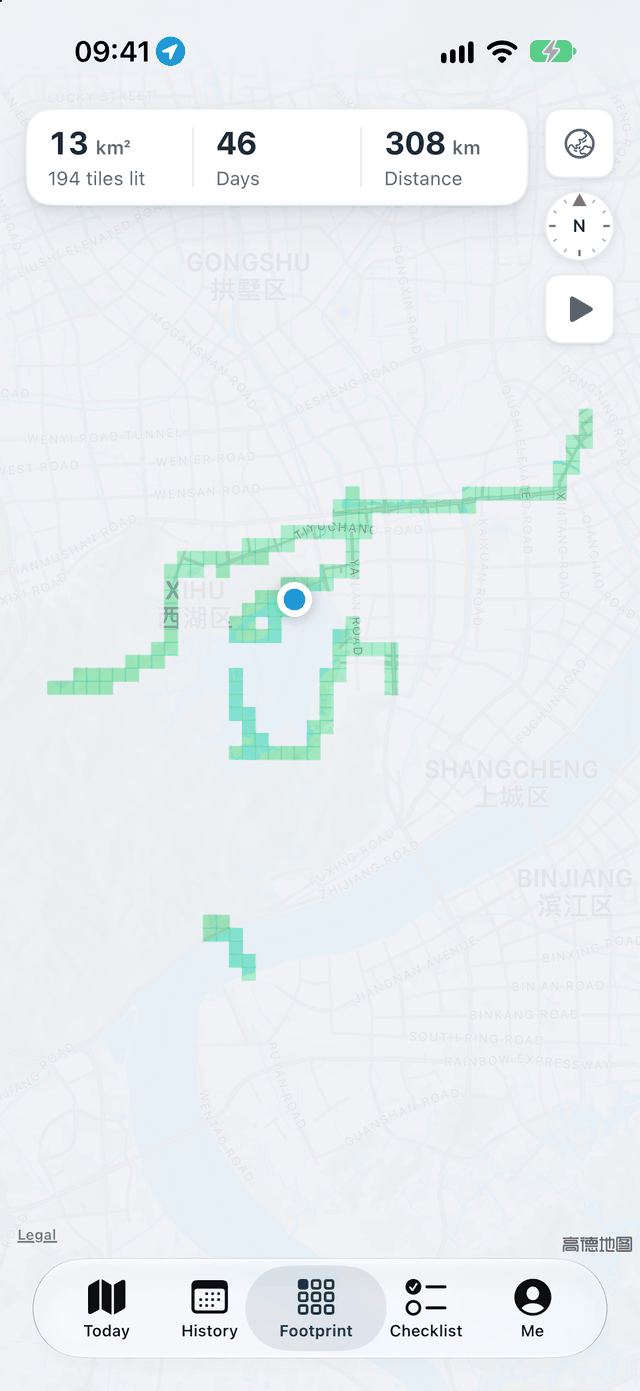
The Footprint screen: a patch of green tiles
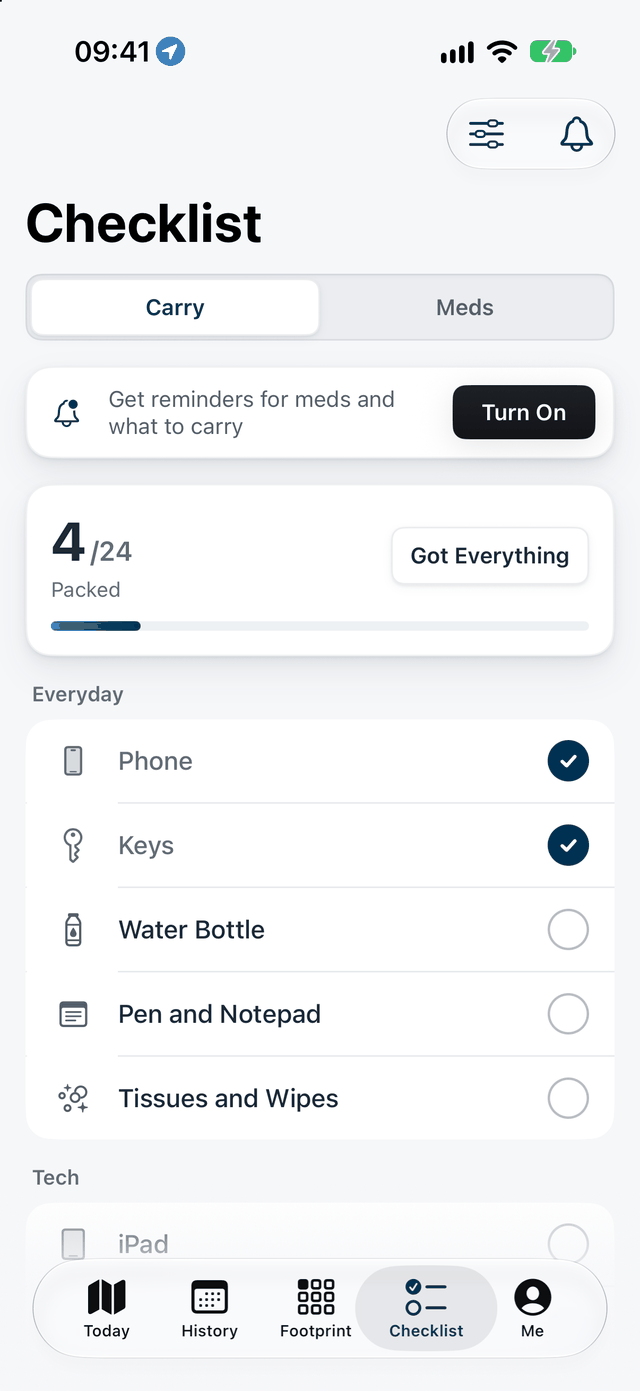
The Carry list in Traces
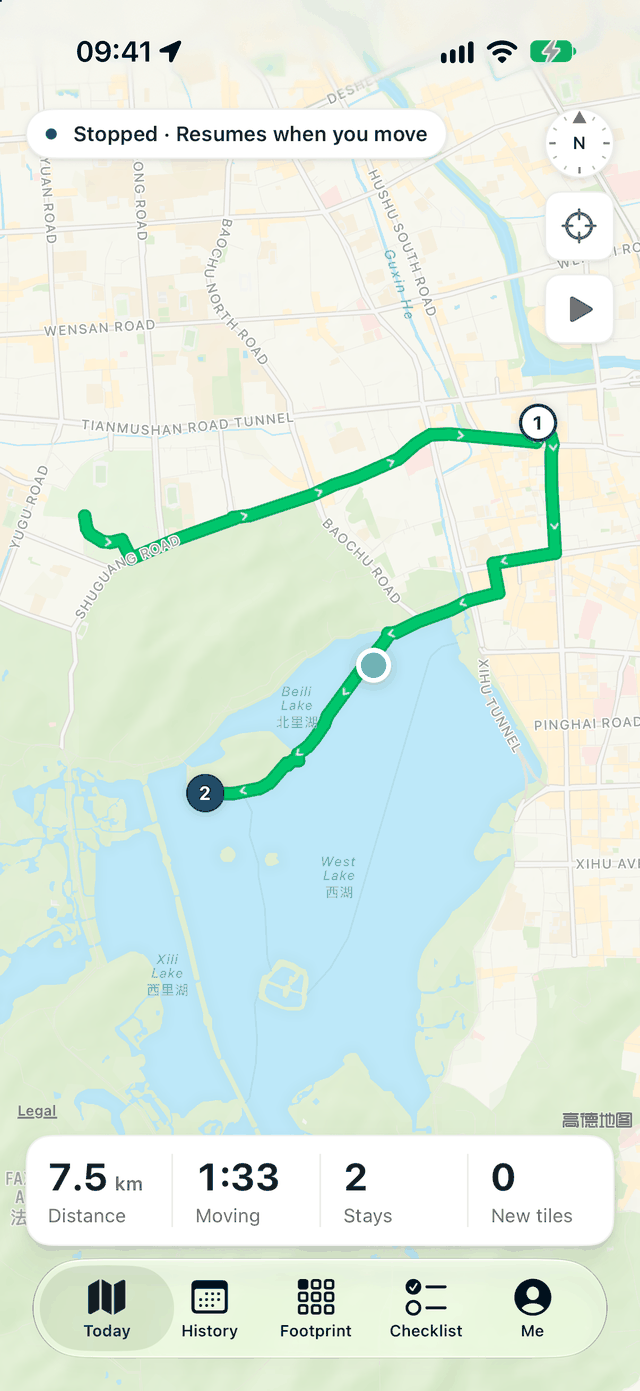
The Today screen in Traces: a green route with two stops on the map
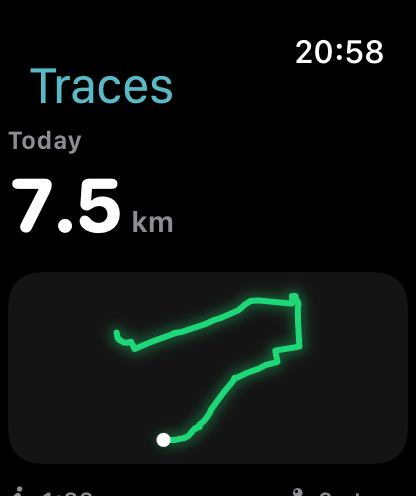
Traces on Apple Watch: 7.5 km today

iPhone and Apple Watch · iOS 17 and watchOS 10 or later · No ads

Screens show sample data and may differ in the released version.

Routes and stops,recorded for you.

No need to open the app each time. With Auto Record on, the day's routes and stops are joined up in order.

Auto Record

It records as you go.

Allow location While Using the App first. For background recording, upgrade to Always and turn on Precise Location. You can switch off Auto Record in Me at any time, and switch the Recording Mode to Battery Saver there.
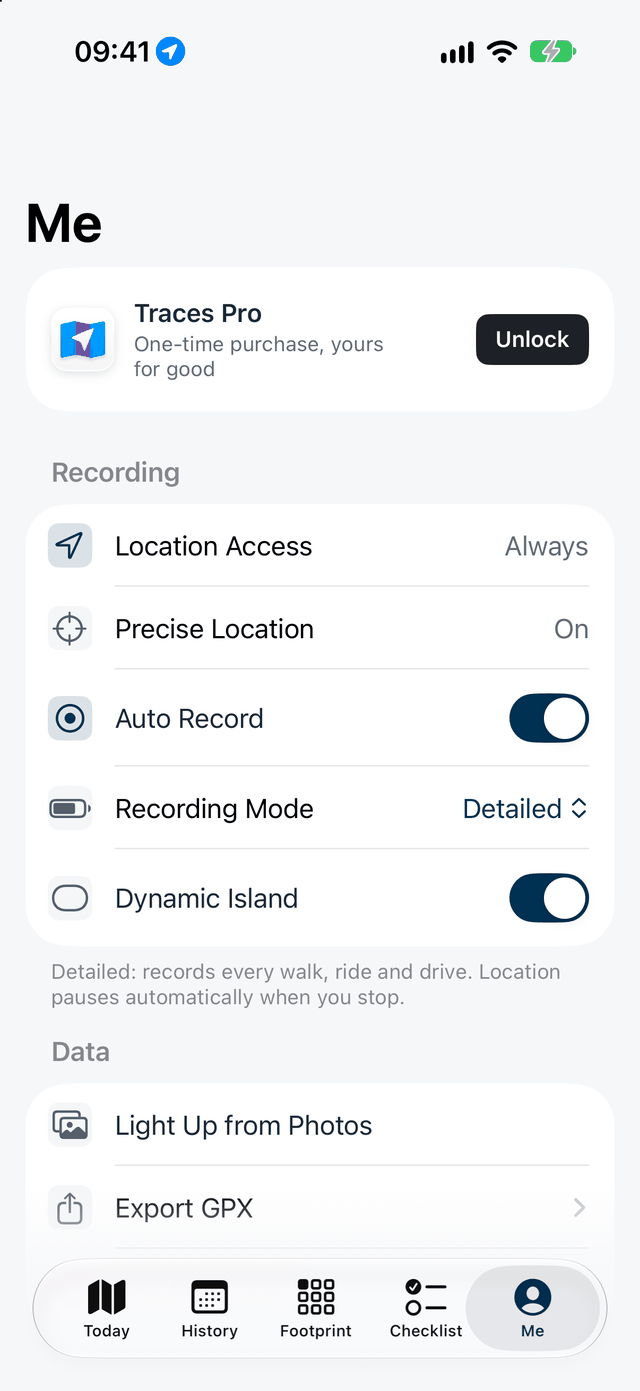
The Me screen: Location Access set to Always, Precise Location on, Auto Record on, Recording Mode set to Detailed.

Stops

Where you stopped, and for how long.

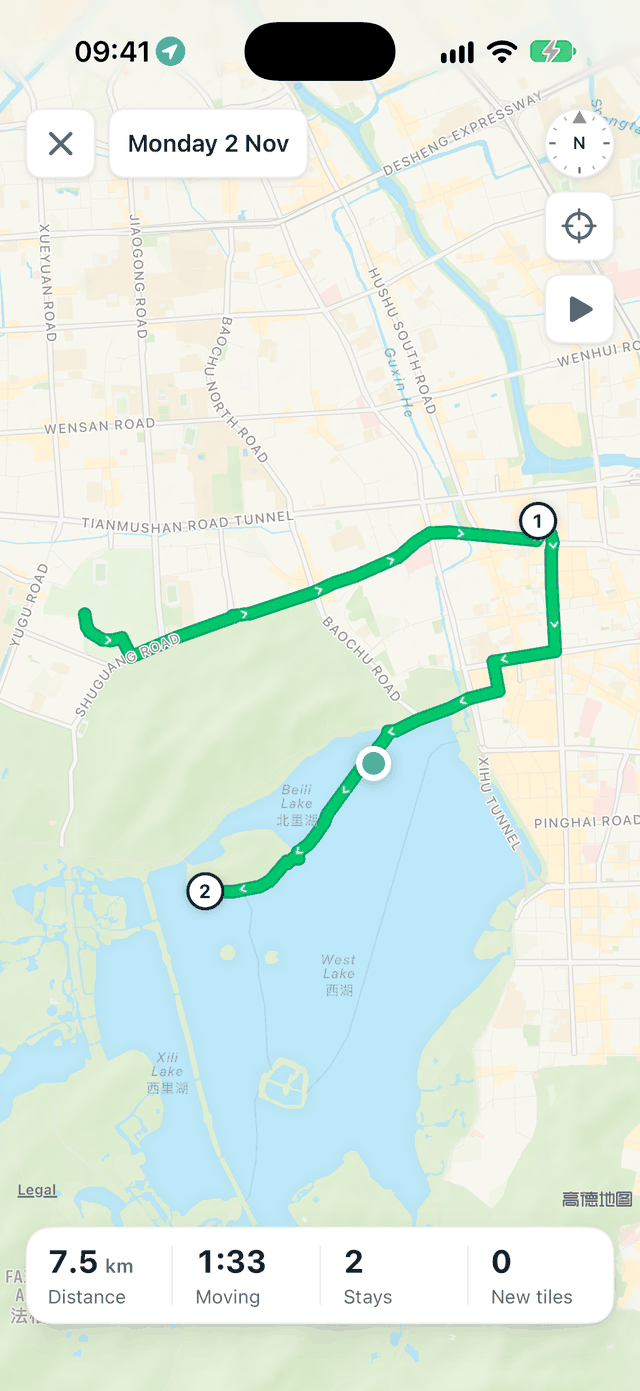
Stops are numbered in order. How far you went, how long you were moving and how many stops you made appear under the map, and you can replay the day.

A day's route: stops 1 and 2 on the green line, with distance, moving time and stops below.

Footprint

Where you've been, lit up tile by tile.

The places you pass through light up as tiles, each about 260 meters across. The Footprint screen keeps the area, tiles, days and total distance.

The Footprint screen: a patch of green tiles, with area, tiles, days with tracks and total distance at the top.

From your photos

Old photos can light up tiles too.

Light tiles from where and when your photos were taken. Traces reads only the capture location and time of the photos you allow. It doesn't read image content, upload photos or keep copies.

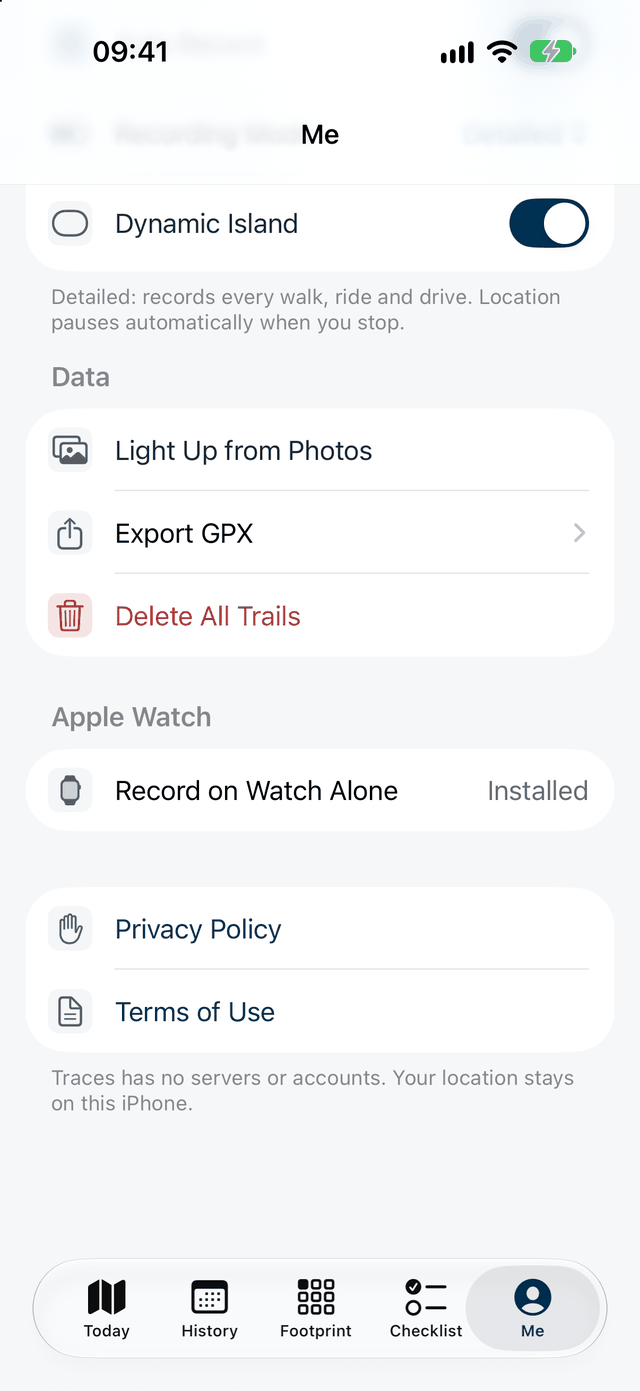
Data settings in Me: Light Up from Photos, Export GPX and Delete All Tracks.

Carry list

What to take, reminded as you leave.

Items are grouped into Everyday, Tech, Care, Clothing, Health and Weather, and each can be set for certain days only. If anything is still unchecked when you leave home, you get one reminder, and the list clears when you're back.

The Carry tab: how many items are packed, with phone, keys, water bottle and more under Everyday.

Meds

Reminders from what you enter.

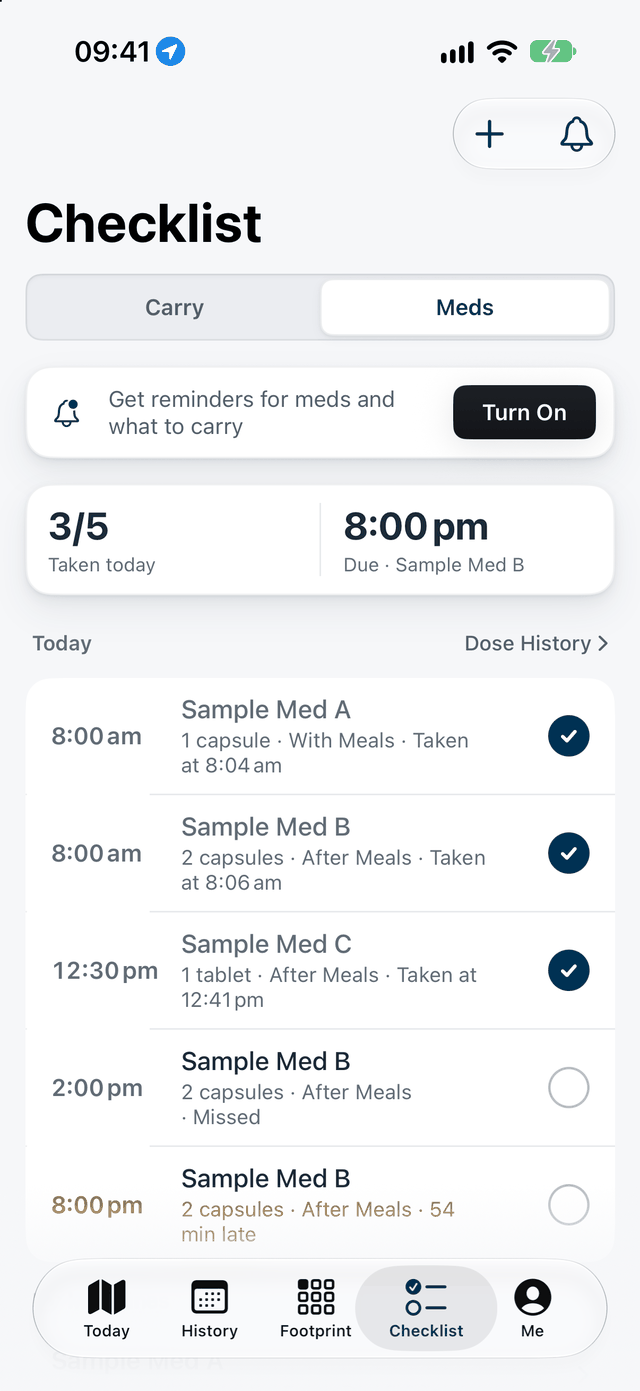
You enter medicine names, times and instructions, and reminders are scheduled on your device. Tap Taken or Remind Me in 10 Minutes right on the notification. Traces does not give medication advice and is not for situations that need reliable medical monitoring.

The Meds tab: today's doses, their times and whether they were taken. The medicine names are made up for the demo.

Apple Watch

Raise your wrist to see today's distance.

Apple Watch shows today's distance and route shape, plus what to carry and which medicines are due today. Pro can record a walk independently on the watch and sync it when connected to your phone.

The watch home screen: today's distance and route shape.
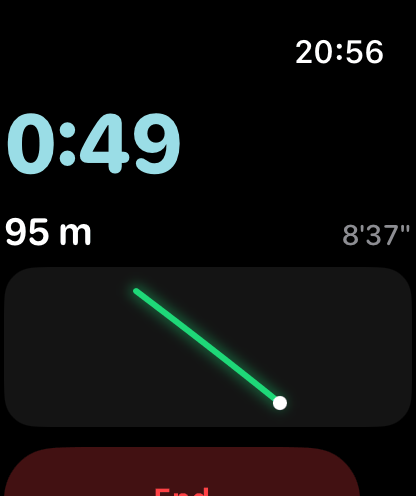
Recording a walk on Apple Watch.

More details,close at hand.

Replay a day

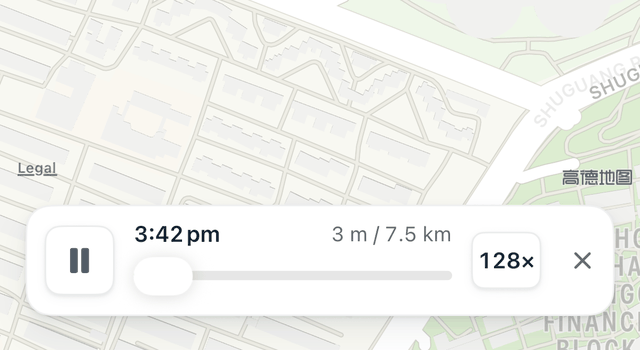
Replay a day's route over time, from 1× to 128×, skipping the time spent at stops.

The replay bar: distance covered so far, total distance and speed.

Battery Saver

Battery Saver records approximate routes and stops, without promising continuous precise sampling. It's also used when Low Power Mode is on.

Dynamic Island and Lock Screen

See how far you've gone today in the Dynamic Island, and the shape of your route on the Lock Screen.

Widgets

See today's route and your list on the Home Screen, and tap an item to check it off.

Control Center

Turn the Dynamic Island on or off from Control Center.

Compass

The dial turns with your phone. Tap it and the map turns too.

19 languages

The app is available in 19 languages.

Your records stayon your devices.

No account, no ads and no third-party analytics.

Stored on your device

Routes, stops, footprint, lists and medicine names are stored on your device. We don't run a server that receives these records.

System services

Maps come from Apple MapKit, which may request map content from Apple over the network. Apple Watch syncs directly with your iPhone through WatchConnectivity, and Apple handles purchases.

This website

Hosted on Cloudflare Pages, with no third-party analytics.

Read the Privacy Policy

Everyday features are free.Pro is a one-time purchase.

No subscription and no automatic renewal.

Traces

Free

Recording, footprint, lists and reminders for every day.

  • Automatic route and stop recording
  • Footprint, including tiles from photos
  • Carry list and medication reminders
  • A reminder when you leave home
  • Widgets, Dynamic Island and a Control Center toggle
  • History for the last 30 days, with older records kept

Traces Pro

One-time purchase

One-time purchase, yours for good.

  • Everything in the free version
  • See your full history, beyond the last 30 days
  • Export GPX to other map and fitness apps
  • Record walks on Apple Watch without your iPhone

Pricing will be shown on the App Store page at release.

Questions

How do I start automatic recording?

Allow location While Using the App first. For background recording, follow the next step to allow Always and enable Precise Location. You can switch off automatic recording or change its mode in Me.

Can I open the app without location permission?

Yes. It shows a location-disabled message and does not create new routes without new locations. History, lists and settings remain available; change permission later in system Settings.

Why are parts of a route or map missing?

Check location permission, Precise Location, automatic recording, battery state and system background restrictions. Map content may need a network. Battery-saving mode records approximate routes and stops rather than promising continuous precise sampling.

How do I add footprints from photos?

Choose Add footprints from photos in Me and authorize the photo selection you want to use. Items with capture locations and times can light cells without uploading photos. Photos without location metadata do not create footprints.

How do I export, back up or delete data?

Export GPX or delete tracks in Me. GPX export requires Pro and contains precise locations for your archive or other map apps. Full database restore from GPX is not currently supported. Use Apple device transfer or a system backup before changing phones and save needed data before uninstalling.

See all help

Still have a question? Email manekineko.slc@gmail.com

Traces is coming soon
to the App Store.

Coming soon to the App Store

iPhone and Apple Watch · iOS 17 and watchOS 10 or later · No ads